
CSS for Google Shopping
Premium self service CSS for Google shopping
Get started today and save up to 20% per click
Only €19/month fixed price

CSS for Google Shopping
PROFIT-FIRST GOOGLE SHOPPING
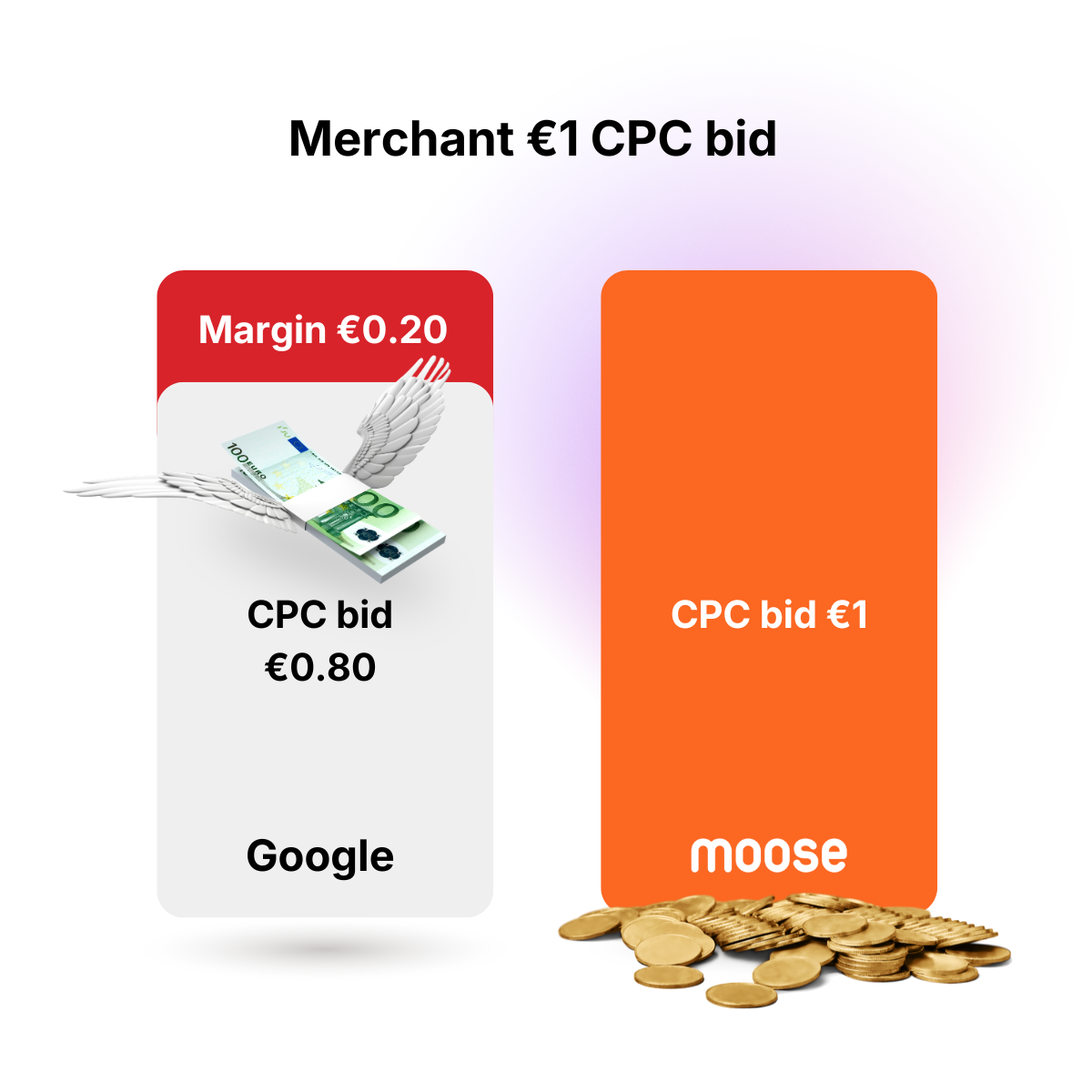
If your competitors have already switched to a CSS partner and you haven't, you are entering the auction with an automatic 20% handicap.
We don't just save you money; we level the playing field so your ads actually show up. The math is simple:
Google Standard: A €1.00 bid is treated as €0.80 in the auction.
Moose CSS: A €1.00 bid is treated as a full €1.00
Moose CSS is a certified Google Comparison Shopping Premium Partner, running on infrastructure designed to meet Google’s strictest policy requirements.
We work seamlessly alongside the leading feed management and tracking platforms you already trust like Channable, PriceShape, and Funnel. You keep your existing tech stack and your Merchant Center entirely intact.
You get the maximum 25% bidding advantage without taking on any technical, compliance, or policy risks.


Switching to Moose CSS is a purely administrative change behind the scenes.
What stays the same:
Keep your existing Google Merchant Center
Keep your campaign history and tracking data
Keep your direct relationship with Google Ads
What changes:
Your bidding power increases by 25% instantly
Lorem ipsum dolor sit amet, consectetur adipiscing elit. Suspendisse varius enim in eros elementum tristique.

Perfect for Agencies

Lorem ipsum dolor sit amet, consectetur adipiscing elit. Suspendisse varius enim in eros elementum tristique.
Lorem ipsum dolor sit amet, consectetur adipiscing elit. Suspendisse varius enim in eros elementum tristique.
Best for Ecommerce
Add your shop to
Moose CSS
Approve the request in Google Merchant Center for the transfer to Moose CSS
Your 30 days free trial will be activated as soon as the transfer is completed
You can save up to 20% on bids on Google Shopping!
When you create a new Google Merchant Center account the default setting is Google Shopping CSS, owned and operated by Google.
Google charges 20% of your click bid for this service.
This means if you pay €1 for a click in Google ads you are actually paying €0.8 to the bid auction and €0.2 for the CSS service.
With Moose CSS you pay a fixed cost of €19 per month for the CSS service.
This means with the same bid you will only pay €0.8 in Google ads and save 20%.
Or you can bid more aggressively for the same cost (€1) in Google ads.
With a monthly spend of €2000 on Google shopping you can save up to €381 per month using Moose CSS.

Simply create your free account on app.bymoose.io/register and add your shops.
After your subscription is activated you always get 30 days free trial.
Cancel whenever you want.
Moose CSS can place ads and free listings on Google shopping in the following countries: Austria, Belgium, Czech Republic, Denmark, Finland, France, Germany, Greece, Hungary, Ireland, Italy, the Netherlands, Norway, Poland, Portugal, Romania, Slovakia, Spain, Sweden, Switzerland, and the United Kingdom.
This means that we can only add webshops operating in these countries. Please reach out to us if you have any questions regarding other markets.
Nope!
The switch to Moose CSS will be done without any downtime. Your Google shopping ads will instantly serve with the new CSS as soon as it's activated.
Most often you will be live with your new CSS within 24 hours.
By using our CSS your Google Shopping ads will be shown on Google as any other ad. Your products will be visible in both the paid and free section of Google Shopping.
"By Moose" will be displayed in the bottom section of your Google Shopping ad.
Nope, your Google Merchant Center account will work the same as before the switch to Moose CSS.
The only thing you have to do to get started is to approve the request sent from Moose CSS in your Google Merchant Center account. Register your shops to get started.
A CSS is a website that shows products and services from multiple merchants. The visitor can easily compare products and offers from different merchants.
We partner with Google to display the merchandise from our subscribed merchants on Google Shopping.
You can switch an MCA account to Moose CSS with all your sub accounts.
All you need to do is send us your MCA account ID to our support contact@bymoose.io before you accept the CSS transfer request on any sub account.
Please reach out to us if you have any questions regarding MCA CSS switching.
You can cancel your subscription at any time. There are 2 ways to cancel your subscription:
1. The fastest and easiest way is to simply switch your Google Merchant Center account to another CSS. You can switch to the default Google Shopping CSS or any other CSS supplier. When the transfer is complete your subscription will be canceled automatically.
2. Contact us and we'll help with the switching process.